
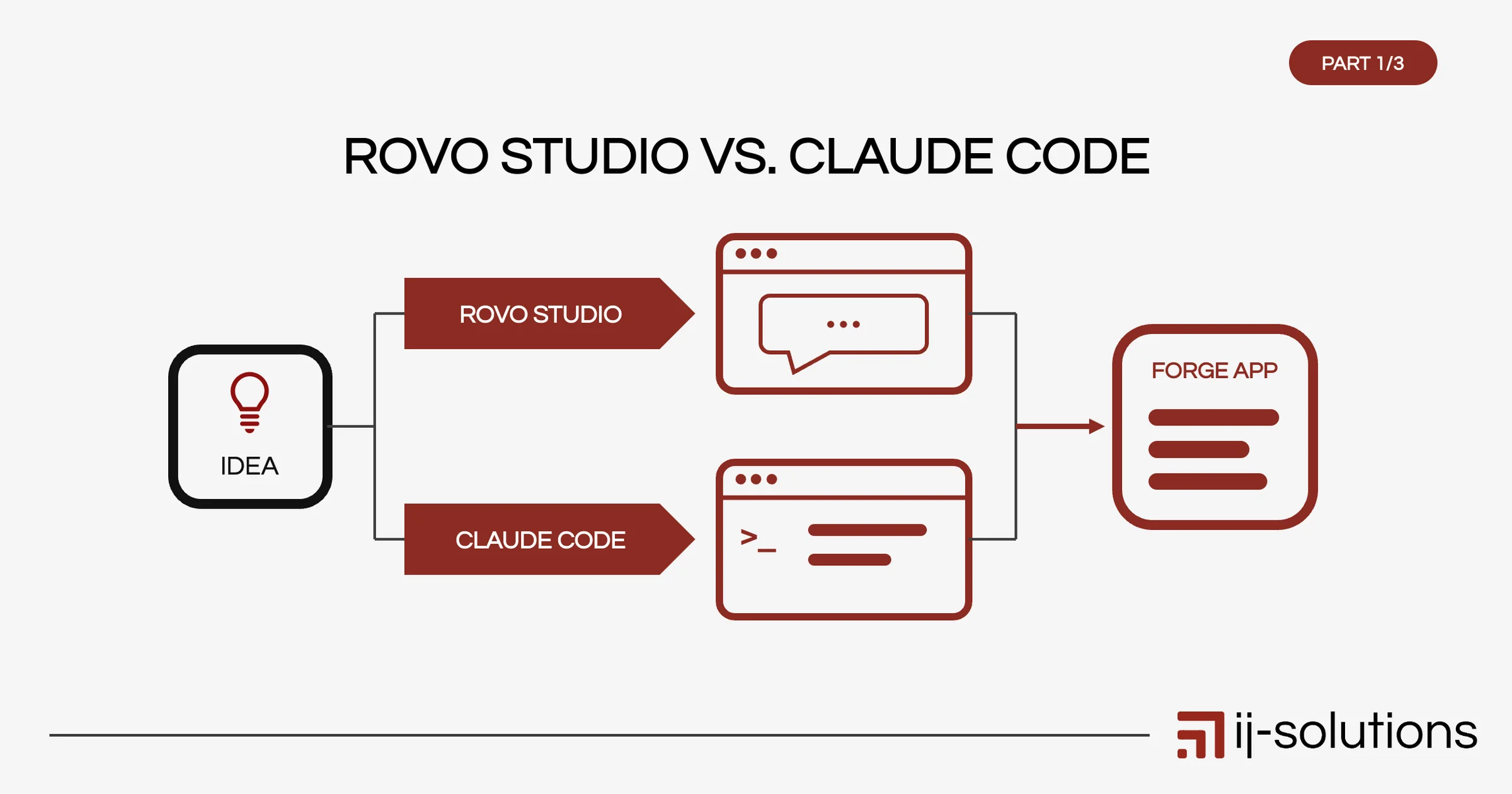

Building your own Atlassian app used to mean hiring a developer. In 2026, Jira admins, project managers and technically-minded users can build working Forge apps themselves, with AI doing much of the heavy lifting. But there are two quite different ways to get there: Atlassian’s Rovo Studio, which builds apps from plain-language prompts in the browser, and AI coding agents like Claude Code, which write real code in a local project.
Both can produce a working Forge app. They differ in who they are for, how much control you get, and what you need to know. This post, the first in a three-part series, explains both paths and helps you decide which one fits your situation.
First, What Is Forge?
Forge is Atlassian’s development platform for apps that extend Jira, Confluence and other Atlassian products. Forge apps run on Atlassian’s infrastructure, so there is no server for you to host, patch or secure. They can add panels, pages, macros, automation actions, scheduled jobs and more, and they can be installed privately in your own site or listed on the Atlassian Marketplace.
Whichever path you choose, the result is a Forge app. The difference is how you build it and how much of it you see.
Path A: Rovo Studio
What it is
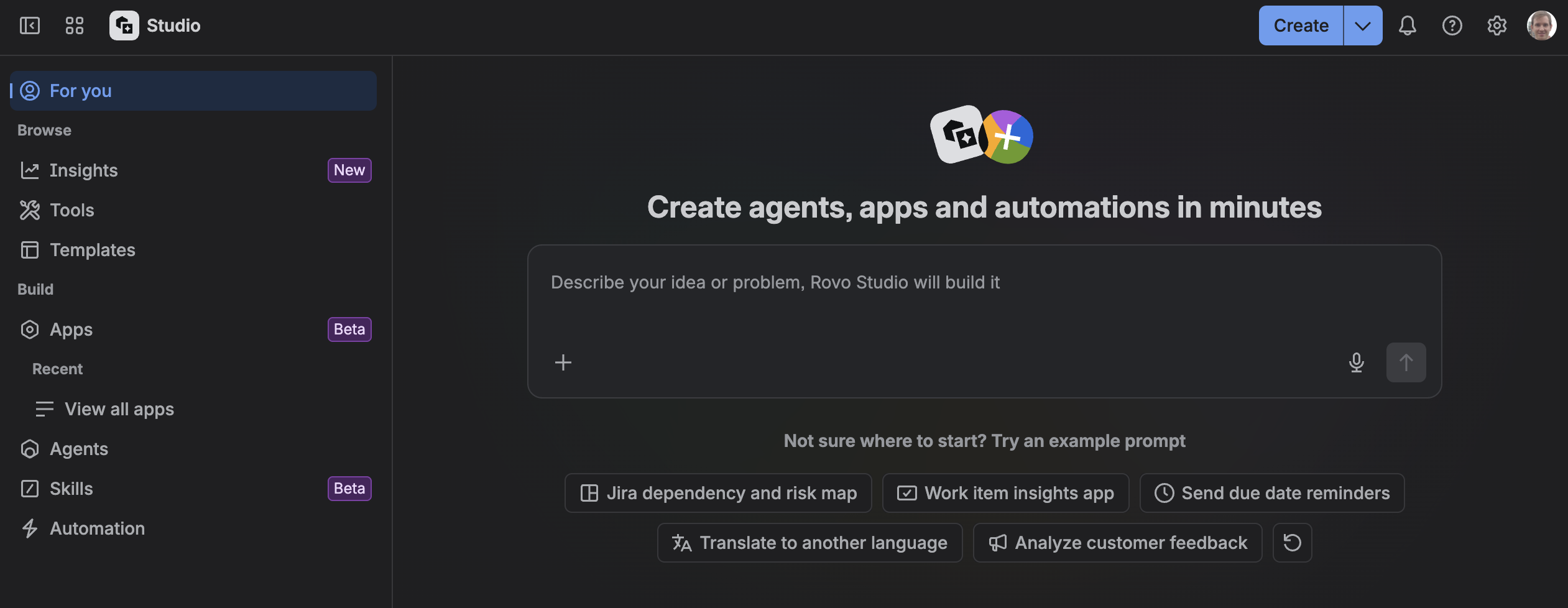
Rovo Studio is part of Atlassian’s Rovo. Besides agents and automations, you can describe an app in plain language, and Rovo builds a Forge app behind the scenes. It chooses suitable Forge modules (for example a Jira global page or a Confluence macro), generates the user interface with Forge UI Kit, and wires up backend functions, storage and permissions. When you describe a problem, Studio can also suggest whether an app, an agent or an automation is the better solution.
How it works in practice
You work entirely in the browser: describe what you need, review the preview, refine with follow-up prompts, then publish. There is no local setup, no command line and no code editor. Apps you build in Studio live in a Developer Space, which is how your organisation keeps track of who built which app and where usage is billed.
Strengths
- Fastest path from idea to something you can click on
- No development environment or coding knowledge needed
- Stays inside Atlassian’s ecosystem and governance
- Good for validating an idea before investing more effort
Limitations
- Less control over how the app is structured and what code it contains
- Harder to apply your own coding standards, tests or version control
- The code can be downloaded and refined outside Studio, but that’s a one-way step rather than a smooth round trip
- Best suited to apps of limited complexity; demanding requirements quickly reach the point where a developer needs to take over
Path B: Claude Code and the Forge CLI
What it is
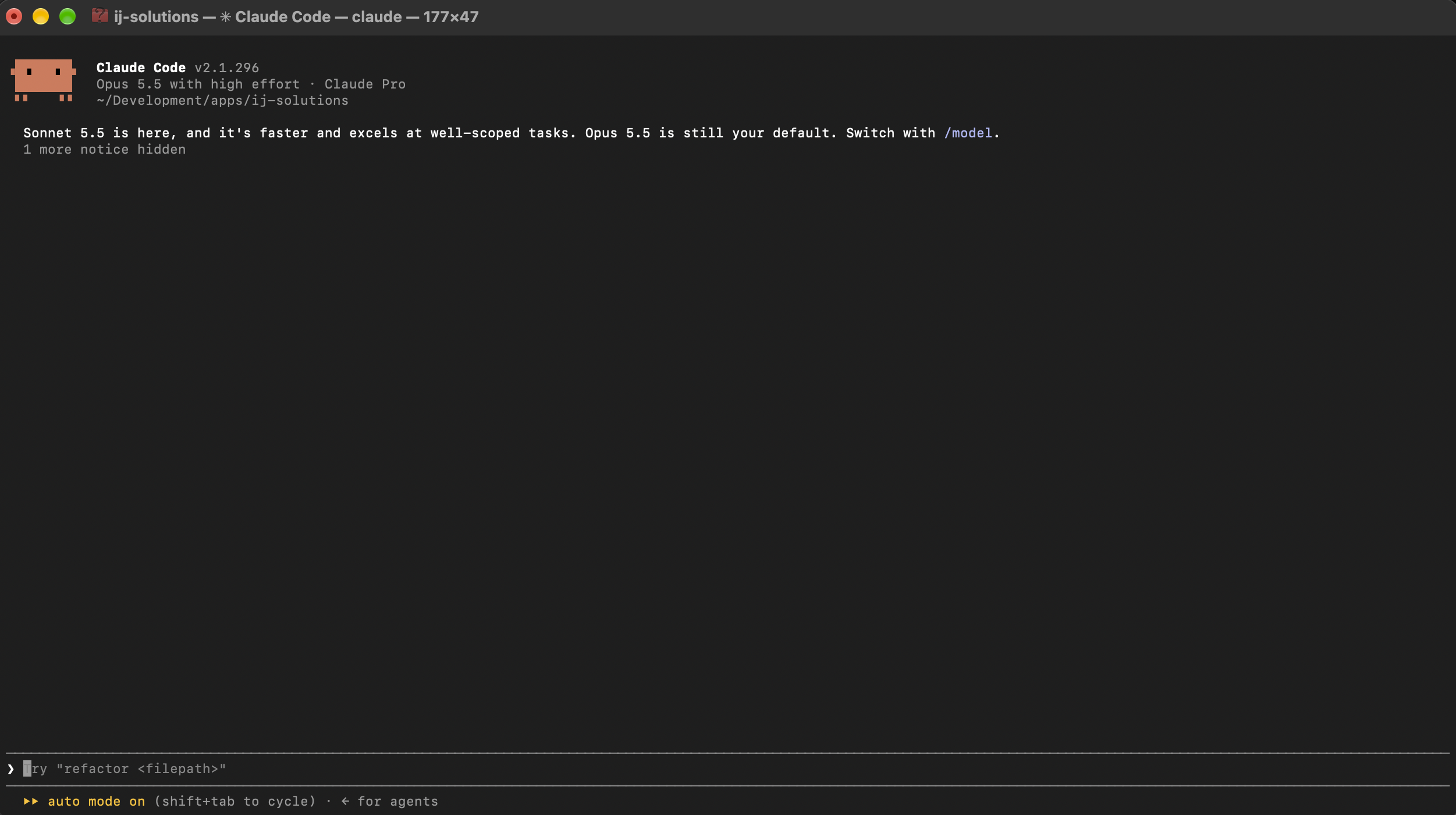
Claude Code is Anthropic’s AI coding agent. It works in a project folder on your machine, reads and writes the actual code, runs terminal commands and explains what it is doing. Combined with Atlassian’s Forge CLI, it lets you build a Forge app the way a developer would, with an AI partner doing most of the typing.
How it works in practice
You scaffold an app with the Forge CLI, then ask Claude Code to implement features, fix errors and refine the code. You test the app on a development site with forge tunnel, and deploy and install it with the Forge CLI. Atlassian also offers free MCP servers for Forge documentation and the Atlassian Design System that give the agent up-to-date Forge knowledge, which noticeably improves the results. Part 2 of this series covers the setup in detail.
Strengths
- Full control over code, structure, permissions and dependencies
- Works with version control, tests and code reviews, like any professional project
- Handles complex apps: Custom UI, external integrations, larger data volumes
- The code is yours: you can maintain it, hand it over or extend it later
Limitations
- Requires a local setup (Node.js, Forge CLI, a development site) and comfort with the terminal
- You are responsible for understanding what the generated code does
- Requires a paid Claude plan or API access
What about Rovo Dev? Atlassian also offers Rovo Dev, its own AI coding agent. It belongs in the same category as Claude Code: a code-level tool for people working in an IDE or terminal, not a no-code builder like Rovo Studio. Most of what this series says about Claude Code applies to it as well.
Side by Side
| Rovo Studio | Claude Code + Forge CLI | |
|---|---|---|
| Where you work | Browser, inside Rovo | Your machine: terminal or IDE |
| Setup effort | None | 30–60 minutes for Node.js, Forge CLI and a dev site |
| Coding knowledge | Not required | Not required to write code, but needed to read and judge it |
| Control over the code | Limited | Full |
| Version control and testing | Limited | Git, tests and reviews as usual |
| Typical complexity | Simple to moderate apps | Simple to complex apps |
| Costs | Included in Rovo for Standard, Premium and Enterprise plans; usage billed via Developer Space | Claude plan or API costs; Forge platform usage costs apply to every Forge app (the free usage allowances are generous enough for most apps, as long as the code uses them efficiently; see Part 3) |
| Best for | Jira admins and power users validating ideas | Developers and technical admins building apps to keep and maintain |
One Thing Both Paths Have in Common: A Preview Is Not Production
Whether you build with Rovo Studio or Claude Code, an app that looks right in a preview or a tunnel session is not guaranteed to work once it is deployed and installed on a real site. Real data, real user permissions, platform limits and the scopes admins consent to at installation all behave differently from a quick test.
That is why, on both paths, you need to understand what your app does: which modules it uses, which data it reads and writes, and which permissions it requests. And when something breaks, someone has to be ready to open the actual code and the logs to find out why. Part 3 of this series shows what this looks like in practice, with examples from our own Forge projects.
Which Path Should You Choose?
Choose Rovo Studio if:
- You want to validate an idea quickly without any setup
- The app is relatively simple: a panel, a page or a macro showing or combining Jira or Confluence data
- You don’t have a developer available and the app isn’t business-critical
Choose Claude Code if:
- The app will be used long-term by many people and needs to be maintained
- You need Custom UI, external integrations or complex logic
- You want version control, tests and full insight into the code
- You plan to distribute the app beyond your own site
Combine both by prototyping in Rovo Studio to clarify what the app should do, then building the production version with Claude Code once the requirements are clear.
Get help when the app touches sensitive data, has to meet security or compliance requirements, or when you’re stuck between a working preview and a working installation.
FAQ
Do I need to know how to code to build a Forge app with AI?
Not to write it. But you need to understand what the app does and read the code well enough to judge whether it makes sense. With Rovo Studio the bar is lower to start, but the same applies once something doesn’t work as expected.
Is Rovo Studio free?
Studio is part of Rovo and included in Atlassian’s Standard, Premium and Enterprise plans; it can’t be bought separately. Apps built in Studio live in a Developer Space, where usage is tracked and billed.
Can I publish a Rovo Studio app on the Atlassian Marketplace?
No, this is not possible at the moment. However, you could download the code after building the app in Rovo Studio and then apply the necessary changes (e.g. add licensing) so it can be published on the Marketplace.
What is the difference between Forge and Connect?
Forge apps run on Atlassian’s infrastructure; Connect apps run on servers the vendor hosts. Forge is Atlassian’s platform for all new apps, and both Rovo Studio and Claude Code-built apps in this series are Forge apps. The Connect framework is deprecated and won’t be available in the future.
What’s Next in This Series
- Part 2: Hands-on setup. How to set up Claude Code, the Forge CLI and the Forge and Atlassian Design System MCP servers, plus the dos and don’ts that save you hours.
- Part 3: From preview to production. Real examples from our Forge projects: what looked fine in testing but broke after installation, and how we found out why.
At ij-solutions, we build and run Forge apps every day, from our own Marketplace apps to custom apps for clients. If you’re unsure which path fits your idea, or you have a working preview that doesn’t behave once installed, we’re happy to take a look. Reach out today and let us find a solution together!