

At ij-solutions, we’ve spent years helping Jira teams — from fast-moving product squads to enterprise IT departments — design workflows that actually scale. One pattern comes up again and again: teams start with Jira automation, get great results, and then hit a wall. Rules slow down. Queues back up. What was saving time is now creating work.
This article explains how to recognise that breaking point, and when a dedicated Jira app is the right tool for the job.
The Automation Sweet Spot — and Where It Ends
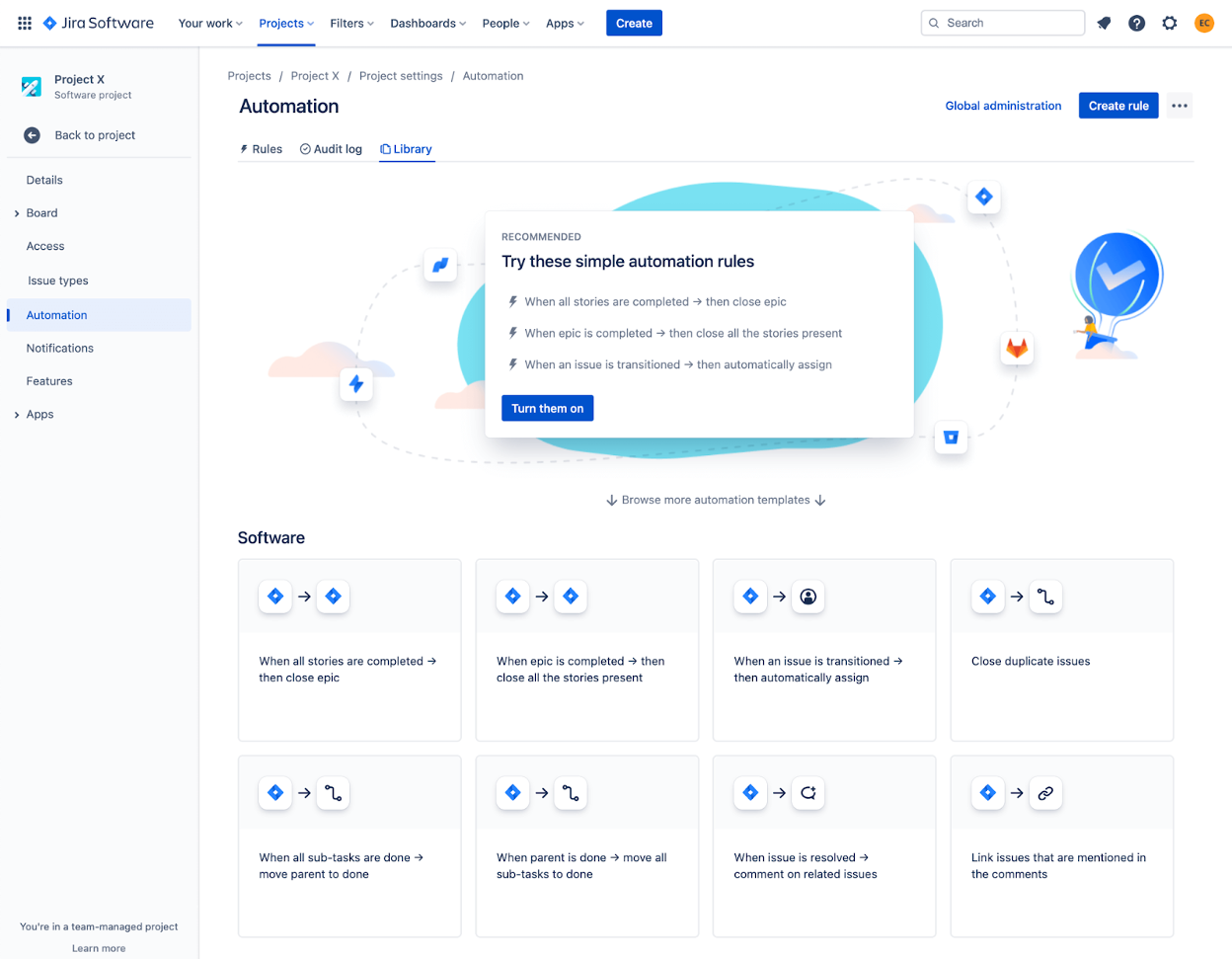
Jira’s built-in automation is genuinely powerful. Triggers, conditions, and actions let you eliminate repetitive tasks without writing a line of code. For straightforward workflows — auto-assigning issues, sending notifications, updating statuses — it delivers real value with minimal overhead.
But powerful tools have limits. As rule sets grow and data volumes increase, execution queues start to back up, rate limits get hit, and your Jira instance begins to struggle. At that point, adding more automation rules doesn’t solve the problem. It deepens it.
What Does Jira Automation Overload Actually Look Like?
Automation overload doesn’t announce itself clearly. It creeps in. Here are the signs to watch for:
- Execution delays — Rules that fired instantly now take minutes or hours to complete.
- Queue backlogs — Hundreds or thousands of executions stack up waiting to run.
- Stuck “In progress” rules — Automations stall indefinitely without completing or failing.
- Performance degradation — The Jira UI becomes slow during issue updates while rules process in the background.
- Rate limiting errors — “Too Many Requests” messages appear with increasing frequency.
- Duplicate triggers — Rules fire multiple times for the same event, creating inconsistent data.
- Debugging nightmares — Interconnected rule chains become impossible to troubleshoot reliably.
- Manual babysitting — You’re regularly disabling rules, clearing queues, and intervening in what should be automated.
If several of these feel familiar, you’ve reached the breaking point that Jira automation wasn’t designed to handle.
When Should You Use an App Instead of Jira Automation?
The honest answer: when complexity and scale make automation rules a liability rather than an asset. Here are the specific scenarios where a dedicated app makes more sense.
Bulk operations with complex templates
Automation can clone a single issue and update a few fields. But when you need to replicate dozens of related issues — each with custom fields, dependencies, assignees, components, and due dates — chaining together rules becomes a maintenance burden with its own failure modes. A purpose-built app handles this in a single, controlled operation.
Enterprise-scale volume
Jira Cloud’s Standard plan allows around 1,700 automation rule executions per month. Enterprise teams processing hundreds of projects or running regular bulk operations can exhaust that quota quickly. Apps offload the processing, maintaining performance without burning through execution limits.
Epic hierarchy cloning across projects
This is one of the most common pain points we see. Cloning an entire initiative — preserving initiative/epic/story/subtask relationships, issue links, and custom field values — across project boundaries is not something Jira automation handles well. Even experienced Jira admins find themselves rebuilding relationships manually. An app like Epic Clone was built specifically for this.
Cross-platform and multi-step conditional workflows
Automation rules handle simple integrations. Orchestrating workflows across Jira, Confluence, Slack, and external systems — with proper error handling and conditional logic — requires more than rules can reliably provide.
Automation vs. Apps: A Practical Comparison
| Aspect | Jira Automation | Dedicated Apps |
|---|---|---|
| Cost | Included with plan, but execution limits apply | Direct subscription cost, tiered by user count |
| Complexity ceiling | Simple workflows work well; complex chains create maintenance overhead | Specialised features reduce admin burden at scale |
| Scalability | Hits limits quickly; can degrade instance performance | Offloads processing; maintains performance |
| Long-term ROI | Lower upfront cost, but hidden admin costs increase with complexity | Higher direct cost, but better efficiency and reliability at scale |
Do You Have to Choose One or the Other?
No — and this is an important point. Automation and apps work well together.
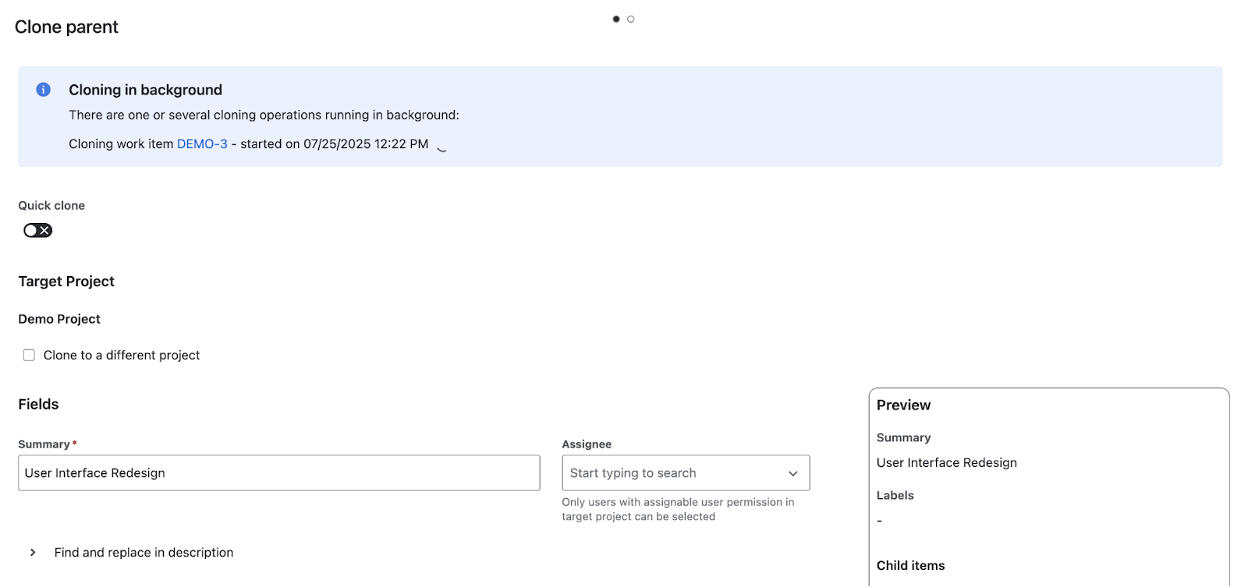
Epic Clone’s REST API makes it possible to trigger app-powered cloning operations directly from a Jira automation rule. You write a simple rule that sends a web request to Epic Clone’s API when a condition is met — say, the start of a new quarter, or when a specific issue type is created. Epic Clone handles the heavy lifting: replicating full hierarchies with all relationships intact, processing in the background, and modifying attributes in bulk.
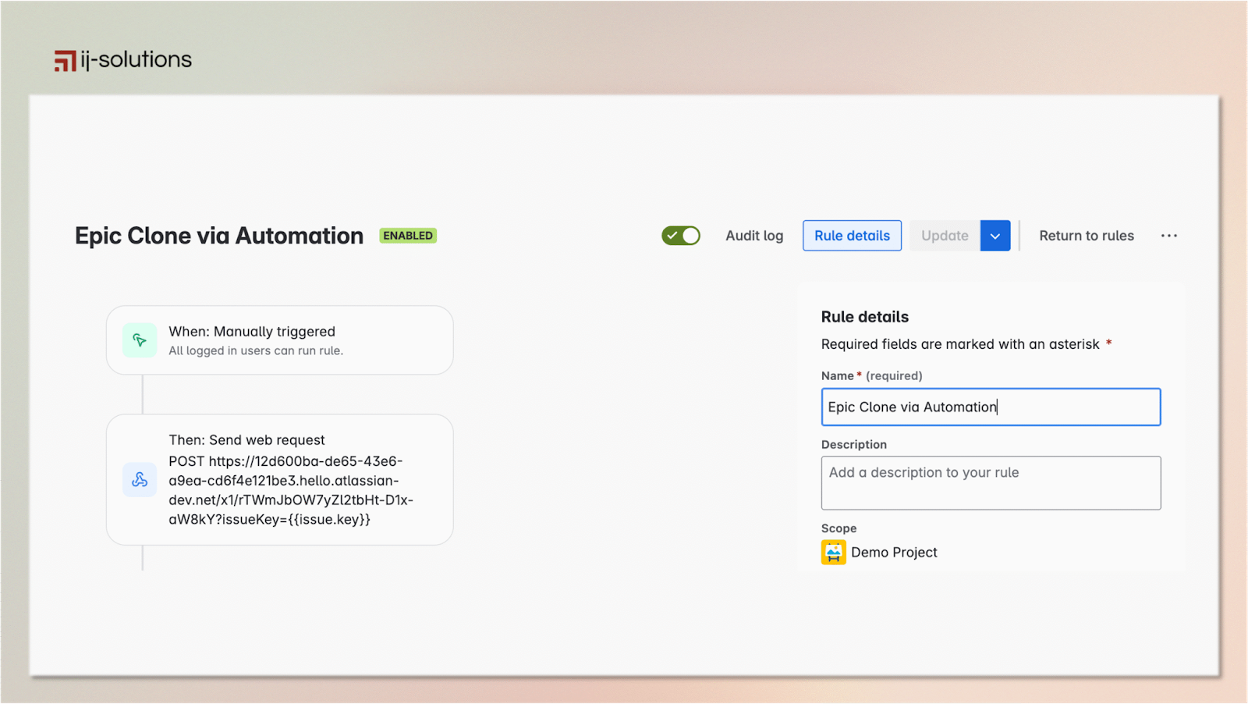
The result is the responsiveness of native automation with the power of a dedicated app — without the complexity overhead.
What Epic Clone Does That Automation Can’t
Epic Clone is our Jira app for bulk cloning epics, issues, and full issue hierarchies. Here’s what it handles that automation rules can’t do reliably:
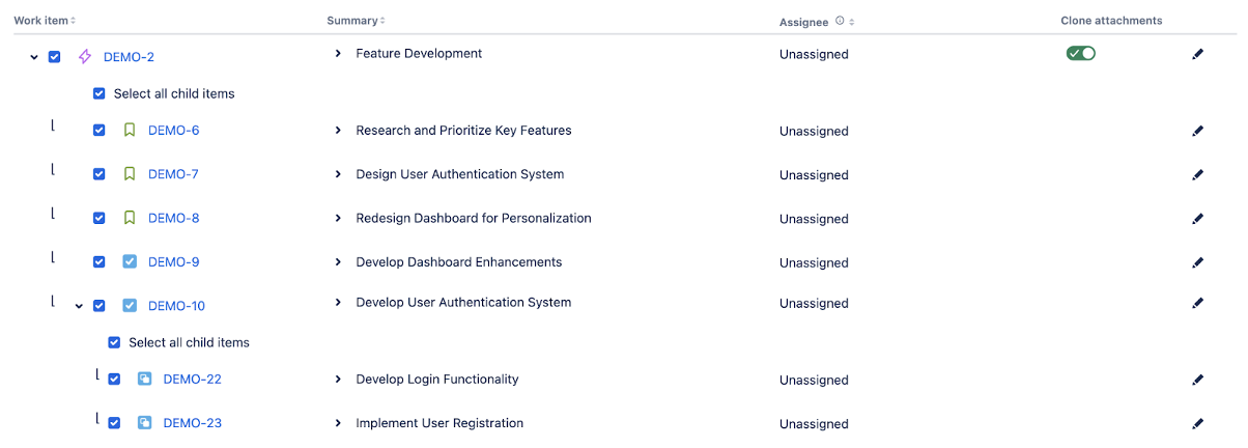
Full hierarchy cloning with preserved relationships
Epic Clone replicates entire structures — from top-level parent issues through all nested children — including issue links and parent-child relationships. No manual rebuilding required after the fact. Read more about issue hierarchy cloning in Jira.
Bulk attribute modification during cloning
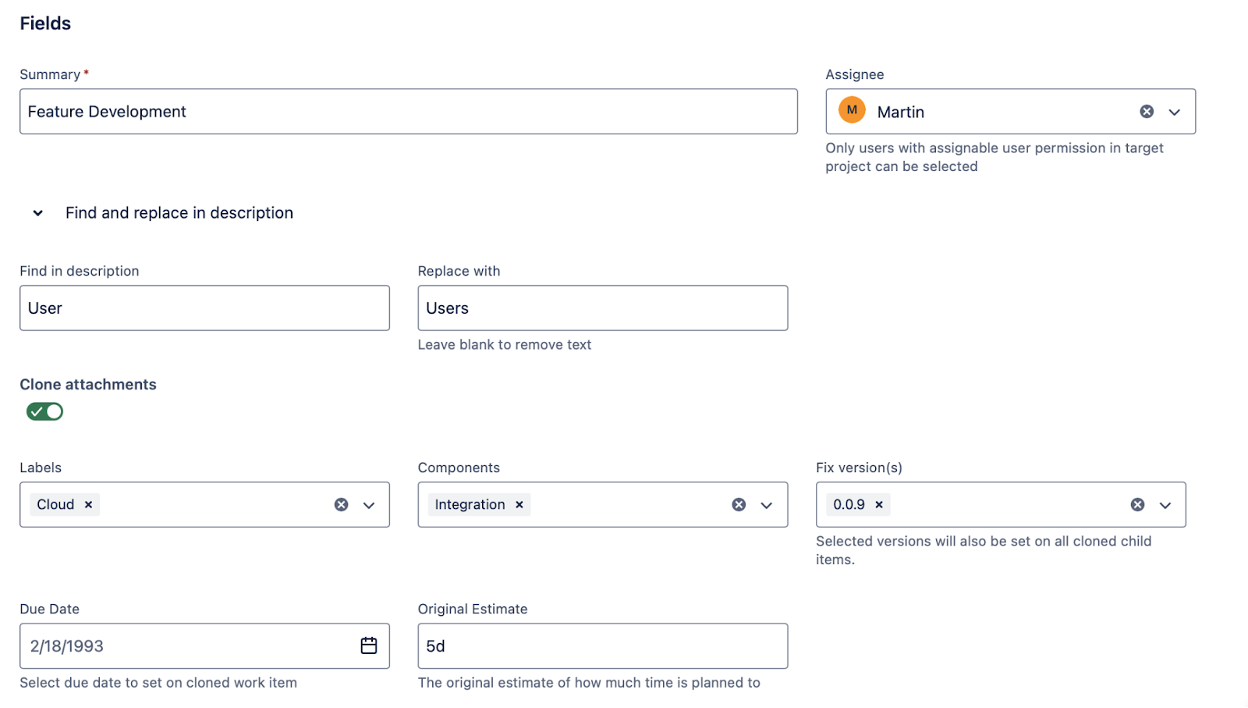
Rather than building separate rules for each field update, Epic Clone lets you modify target project, assignee, labels, components, due dates, and more in a single cloning operation. You decide exactly what gets cloned and what gets changed.
Background processing without timeouts
The cloning process runs in the background for up to 15 minutes, with attachments processed in parallel. Automation sequences typically timeout after a few minutes and can block other operations. Epic Clone doesn’t.
Frequently Asked Questions
What are the execution limits for Jira automation?
On Jira Cloud Standard, teams get approximately 1,700 rule executions per month. Premium and Enterprise plans have higher limits, but all tiers can hit performance degradation when complex rules run at scale.
Can Jira automation clone an entire epic with all child issues?
Not reliably. Native cloning creates a flat copy of a single issue. Chaining automation rules to clone a hierarchy often results in broken parent-child relationships and missing issue links, particularly when cloning across projects.
When should I use Epic Clone instead of Jira automation for cloning?
Use Epic Clone when you need to clone epics or issue hierarchies across projects, preserve all relationships and custom field values, modify multiple attributes during cloning, or process large volumes without hitting execution limits.
Is Epic Clone compatible with Jira automation?
Yes. Epic Clone’s REST API can be triggered by a Jira automation rule, letting you combine automation’s scheduling and conditional logic with Epic Clone’s reliable hierarchy cloning.
Finding the Right Balance
Jira automation is the right choice for straightforward, lower-volume workflows. Use it for basic triggers and status updates, and monitor your execution metrics carefully as your rule set grows.
When complexity and volume push past what automation handles well — particularly around bulk cloning, hierarchy preservation, and cross-project operations — that’s the point to bring in a specialised app.
At ij-solutions, we help Jira teams design workflows that hold up at enterprise scale. If you’re hitting automation limits or struggling with complex cloning operations, Epic Clone is a good place to start.
Get started today with a free trial of Epic Clone on the Atlassian Marketplace.
Already using Epic Clone? See how teams use it to manage repeating project templates and sprint setups.