
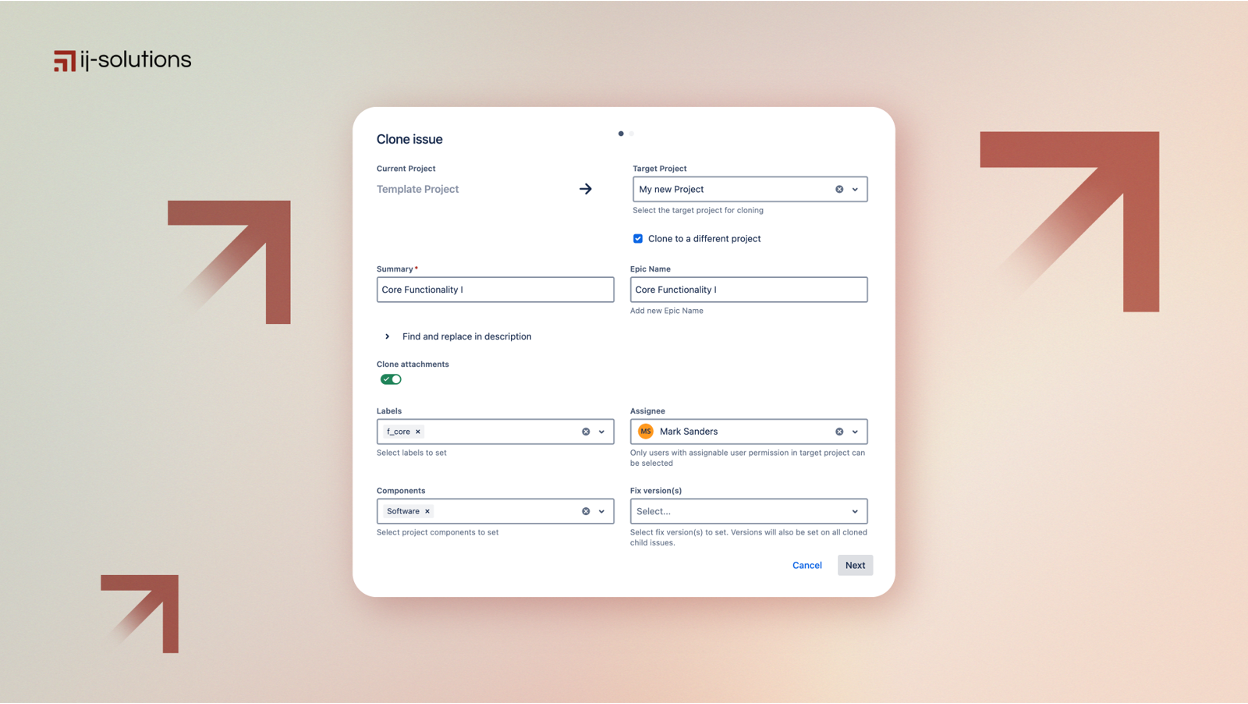

Bulk cloning in Jira — cloning an epic and its issues together — is supposed to save time. In reality, it often creates extra work.
Imagine cloning an epic with 50 user stories for an upcoming sprint — only to realize every issue now starts with “CLONE –”, links are broken, and subtasks are detached. Or worse, you’re trying to replicate a multi-level Jira hierarchy across teams and discover Jira can’t reliably preserve epic–story–subtask relationships.
At ij-solutions, we work with Jira admins and enterprise teams who face these problems daily. The challenge isn’t cloning issues — it’s maintaining structure, relationships, and data integrity at scale.
Jira’s Native Cloning: What It Can and Can’t Do
Atlassian has improved Jira’s native cloning capabilities, especially with the introduction of epic cloning that includes child issues.
What Jira handles well:
Cloning single issues with most standard fields and attachments
Cloning epics with their direct child stories
Basic parent–child relationships in simple hierarchies
Where native Jira cloning breaks down:
Multi-level hierarchies beyond two levels are not preserved
Cross-project cloning breaks issue relationships
No control over cloned issue naming (e.g. forced “CLONE –” prefixes when configured in the entire instance)
No customization for field mapping during cloning
Significant manual cleanup required after every bulk operation
For teams managing complex Jira projects, these limitations quickly become blockers.
Cloning a Single Jira Issue vs. Cloning an Epic With Stories
Not every cloning job is the same. A jira issue clone — duplicating one bug, task, or story — is something Jira handles natively without much fuss. The complexity starts when you need to clone jira epic with stories: the epic itself, its child stories, their subtasks, and the links between all of them.
This is where most “jira clone an issue” searches actually originate. Teams aren’t asking whether Jira can clone something — they’re asking whether it can clone the right things together, in the right order, without breaking the relationships that made the original structure useful in the first place.
Epic Clone treats both cases the same way: pick your scope (single issue, epic with stories, or full hierarchy), and the relationships are preserved automatically — no separate tool, manual effort, or workflow for each depth.
Common Jira Bulk Cloning Problems
Teams attempting bulk cloning in Jira typically run into the same issues:
Epic–story–subtask hierarchies disappear, leaving orphaned issues
Issue links are lost, including blockers, dependencies, and “relates to” links
Custom fields copy inconsistently, forcing manual verification
Sprint planning and tracking suffer due to broken relationships
The result is increased administrative overhead and reduced delivery speed.
A Practical Example: Bulk Clone in Jira Without the Cleanup
Say you’re duplicating an epic with 50 user stories for a new sprint. With native Jira cloning, each story lands as an unlinked copy — no parent-child relationship, no shared context, “CLONE –” prefixes to manually strip.
With a proper bulk clone in Jira workflow, the same 50 stories keep their place under the new epic, retain their subtasks, and carry over any custom fields you choose — in one operation instead of fifty.
3 Common Workarounds — and Why They Don’t Scale
Most Jira teams rely on one of these approaches:
1. CSV Export and Import
Useful for simple duplication, but it removes all relationships, comments, and attachments. Rebuilding links manually is time-consuming and error-prone.
2. Jira Automation Rules
Automation can create issues from templates, but it struggles with multi-level hierarchies, consumes execution limits, and becomes difficult to maintain as projects evolve.
3. Manual Cloning with Cleanup
Cloning issues one by one and fixing names and links manually works in theory — but doesn’t scale. Performance issues and human error quickly creep in.
None of these approaches reliably preserve complex issue relationships during bulk cloning.
How to Preserve Issue Links When Cloning
Issue links — blocks, is blocked by, relates to, duplicates — carry real information about how work depends on other work. Losing them during a clone doesn’t just create clutter; it erases context a team relied on.
To preserve issue links when cloning at scale, you need three things native Jira doesn’t offer together: a way to detect which links exist on the source issue, a decision per link on whether to clone it (recreate the relationship in the new hierarchy) or copy it as-is (point back to the original issue), and consistent behavior across every issue in the hierarchy — not just the parent.
Epic Clone handles this at the link level: for every parent-child connection, you choose whether the link is cloned or preserved back to the source, so cross-team dependencies survive the operation instead of silently disappearing.
How Epic Clone Solves Jira Bulk Cloning at Scale
Specialized Jira apps like Epic Clone are designed to handle the gaps left by native Jira cloning.
Advanced hierarchy cloning
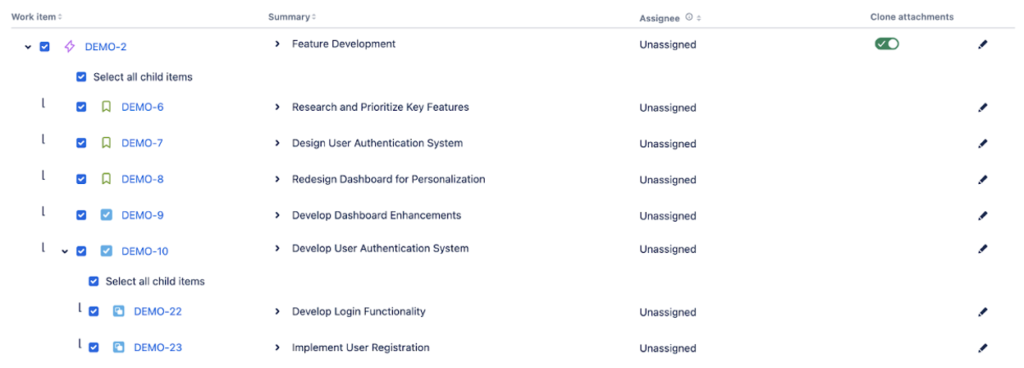
Epic Clone allows you to clone entire epics with multi-level hierarchies in a single operation. Epic–story–subtask relationships and issue links are preserved automatically.
Automation-ready cloning
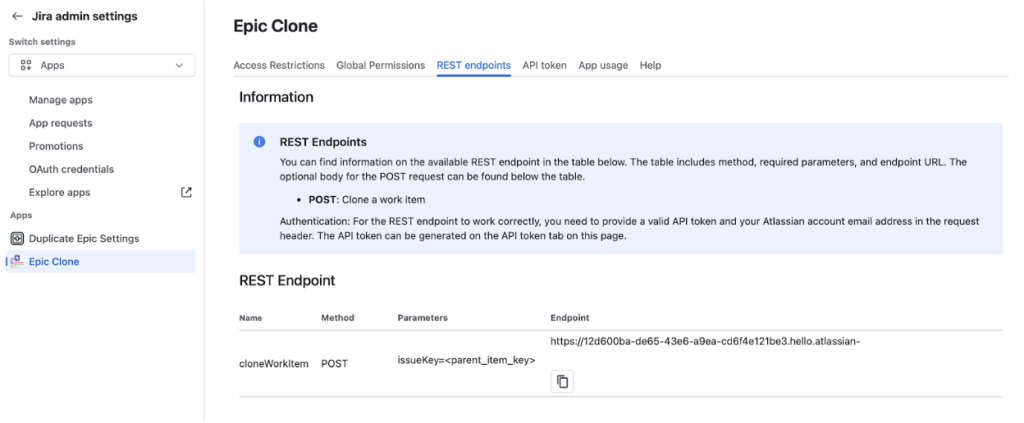
With Epic Clone’s REST API, cloning can be triggered via Jira Automation rules, schedules, or external systems — enabling repeatable and controlled workflows.
Enterprise-ready features
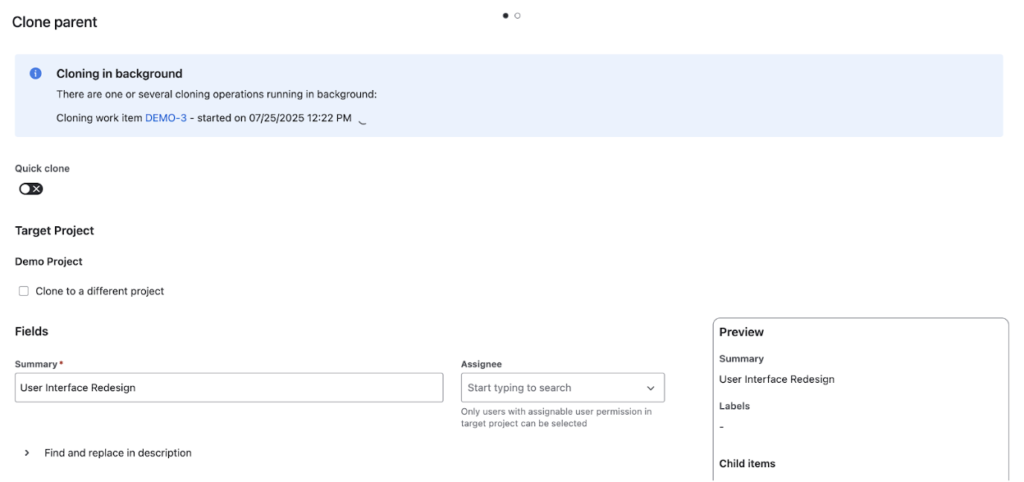
Background cloning for large datasets (up to 15 minutes)
Cross-project cloning with field adjustments (assignee, components, fix versions, estimations)
Permission controls for governance and compliance
Built on Atlassian Forge, ensuring data never leaves your Jira instance
- Runs on Atlassian certified
When to Use Native Jira Cloning vs. an App
Use native Jira cloning for simple, same-project duplication with minimal hierarchy and acceptable manual cleanup.
Use Epic Clone when you need to preserve issue relationships, clone across projects, automate processes, or scale Jira usage across teams.
Want to clone Jira issues without breaking hierarchies or spending hours on cleanup?
👉 Try Epic Clone and experience reliable Jira bulk cloning.