

Jira Service Management is not just for IT teams. Any department that handles recurring internal requests — including HR — can use it to manage workflows, route approvals, and give employees a clear, consistent way to get help.
Most companies that run Jira already have Jira Service Management available. Yet HR teams often still rely on email inboxes, shared spreadsheets, or informal Slack messages to handle requests like onboarding, leave approvals, or policy queries. That creates exactly the kind of opacity and inefficiency that JSM was built to eliminate — just in a different department.
Here is how HR teams can put JSM to work, and why it is worth the setup effort.
Why HR Request Management Breaks Down Without a Dedicated System
HR departments field a high volume of recurring, process-heavy requests. New hire setups, contract changes, parental leave applications, offboarding checklists — these all involve multiple steps, multiple stakeholders, and often formal sign-offs. When those requests arrive by email, there is no visibility into status, no audit trail, and no consistent process.
The result is predictable: requests get lost, employees follow up repeatedly, HR staff context-switch constantly, and nothing is measurable. It is not a people problem. It is a tooling problem.
A structured HR ticketing system changes that. Each request becomes a tracked item with a clear owner, defined steps, and a visible status. Employees stop asking “what happened to my request?” because they can see it themselves.
What Makes JSM a Good Fit for HR — Even If It Was Not Build for That
Jira Service Management was designed for ITSM, but the core mechanics translate directly to HR service delivery:
Request types let you define exactly what kind of help an employee is asking for — onboarding a new joiner, requesting a reference letter, updating personal data, reporting a payroll discrepancy.
Custom forms collect the right information upfront, so HR does not have to chase the requester for missing details.
Workflows move tickets through defined stages — submitted, under review, pending approval, resolved — with automated transitions where appropriate.
Approval steps can be built into workflows, so a line manager or senior HR contact can formally sign off before the request progresses.
SLAs give HR teams measurable response targets, just like IT has for incident resolution.
The employee portal gives staff a single place to raise any HR request, track its progress, and find self-service answers through a knowledge base.

If your company already uses Jira, HR can be up and running with a JSM project in a matter of hours, not weeks. You are not introducing new infrastructure — you are extending what you already have.
Practical Example: Building an HR Onboarding Request Workflow
Take one of the most process-heavy HR requests: onboarding a new employee. Typically this involves HR, IT, facilities, and the hiring manager — often coordinated by email chain.
In JSM, this becomes a structured workflow:
-
The hiring manager submits a request via the employee portal, filling in a form with the new joiner’s start date, role, equipment needs, and access requirements.
-
The ticket is automatically routed to the HR queue with the relevant details populated.
-
An approval step triggers a notification to the HR manager to confirm the request before work begins.
-
Sub-tasks or linked issues can be created for IT (laptop provisioning, system access) and facilities (desk, access card), keeping everything connected. This step can also be automated by Jira Automation or apps like Epic Clone
The hiring manager can track progress in the portal without needing to email anyone.
- The ticket closes once all steps are complete, with a full activity log retained for audit purposes.
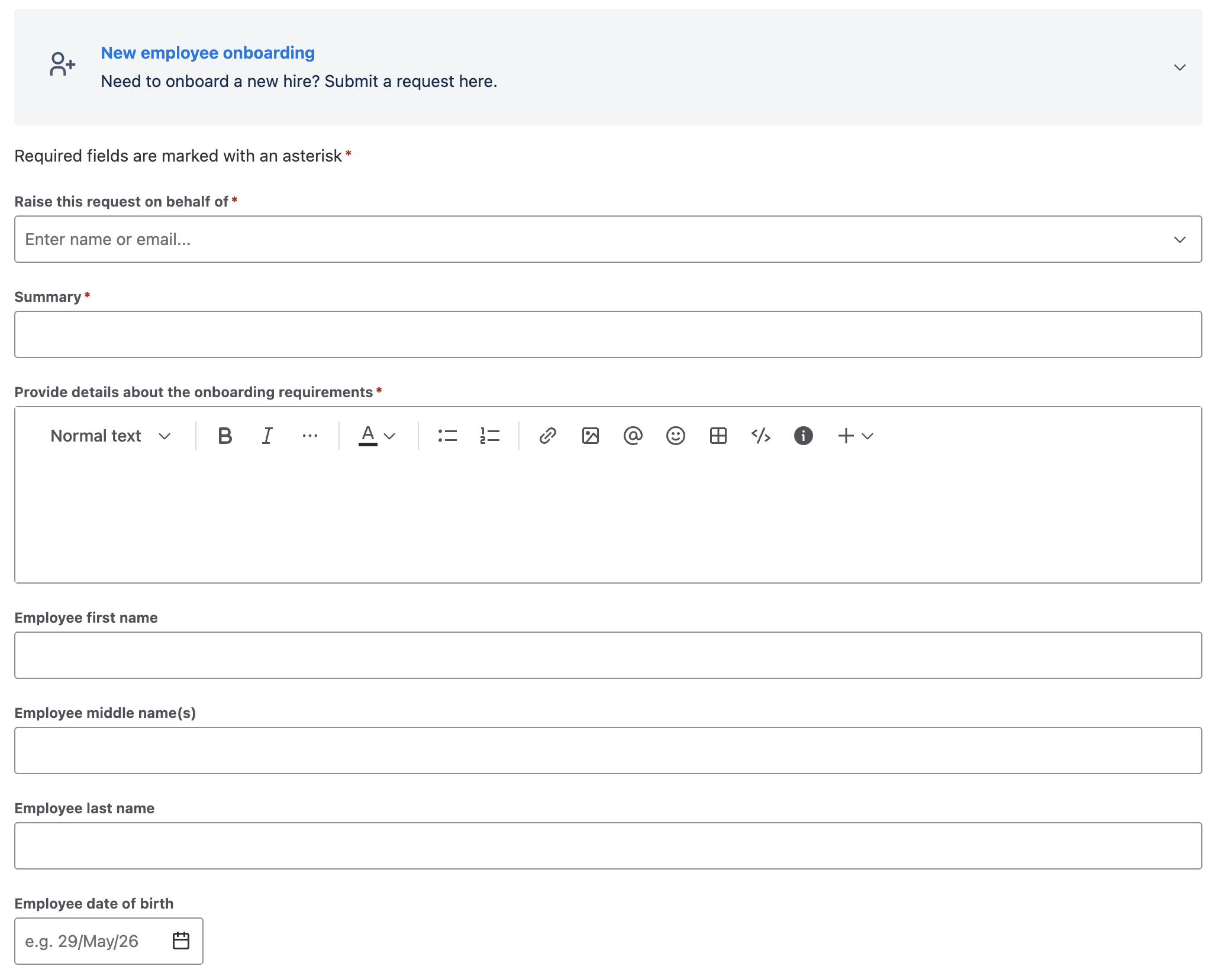
This same pattern — form, routing, approval, execution, tracking — applies to dozens of HR processes: offboarding, role changes, absence requests, grievance submissions, and more.
Approvals in HR Workflows: Getting the Structure Right
Approvals deserve specific attention because they are central to many HR processes and often the point where informal systems fall apart.
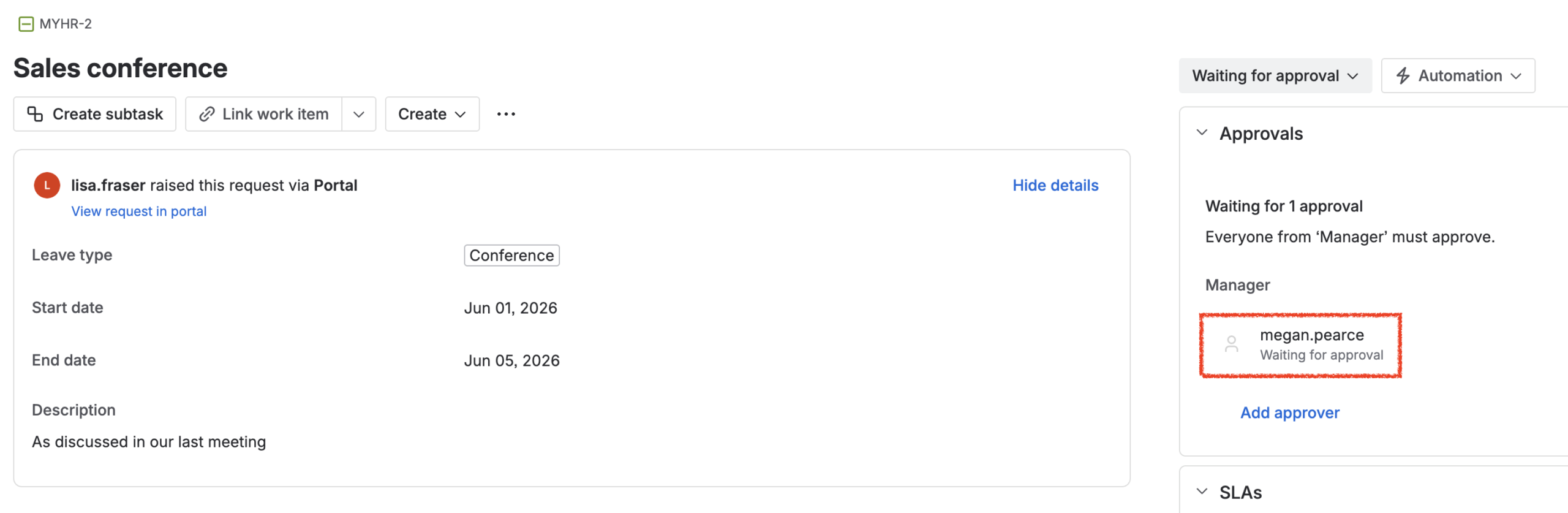
In JSM, approval steps are built into the workflow itself. When a ticket reaches a stage requiring sign-off, the designated approver receives a notification and can approve or decline directly from the portal or by email. The ticket cannot progress until that decision is recorded.
This matters for HR for several reasons. It creates a documented decision trail — important for compliance and internal audits. It removes ambiguity about who approved what and when. And it prevents requests from being actioned prematurely because someone assumed verbal sign-off was enough.
For HR requests that involve sensitive data or significant commitments — parental leave, redundancy processes, salary adjustments — having a formal, timestamped approval in the system is not just convenient. It is good practice.
What Employees Actually Experience
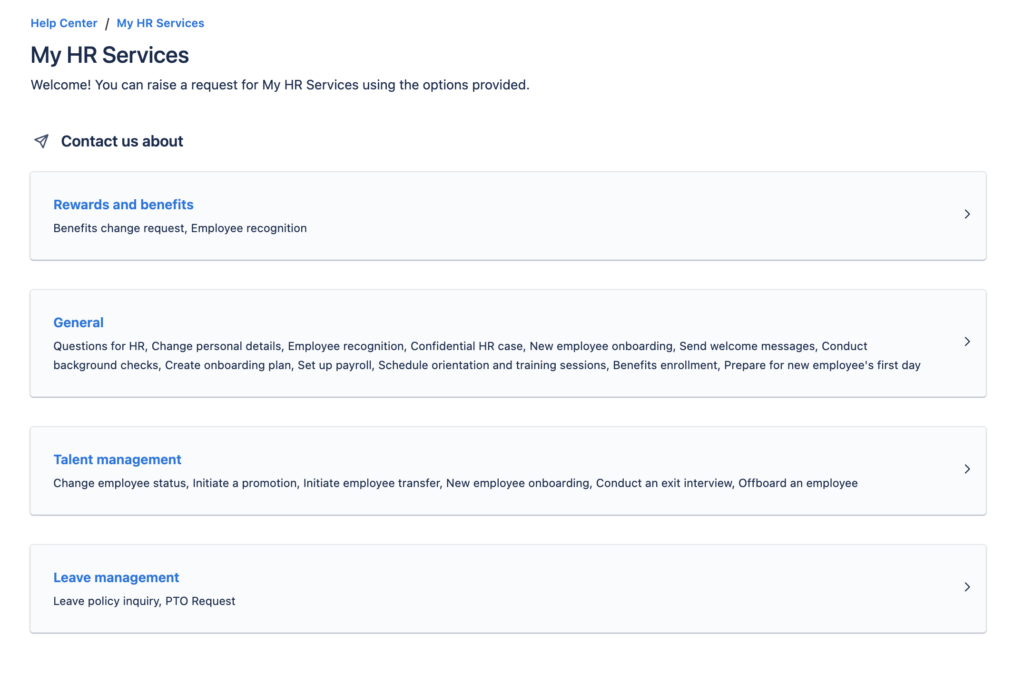
From an employee’s perspective, the difference is significant. Instead of sending an email into an inbox and hoping for the best, they visit a portal, select the type of request they need, fill in a clear form, and receive confirmation that their request has been received. They can check the status at any time. They get notified when it moves forward or when something is needed from them.
This kind of transparency reduces follow-up noise for HR and significantly improves the experience for employees. People are more patient with a process they can see than one that feels like a black box.
Is It Complicated to Set Up?
Not if Jira is already in use at your company. The work involved is mainly configuration: creating a new JSM project, defining your request types, building out forms, and mapping the workflow stages. A Jira admin who is comfortable with JSM can set up a functional HR service desk in a day or two for common request types.
For more complex workflows — multi-stage approvals, integrations with HR systems, or extensive automation — it is worth involving someone with deeper JSM experience. But the baseline version is genuinely lightweight to get started.
FAQ
Can Jira Service Management be used for HR without IT involvement?
Yes, though you will need a Jira admin to configure the initial project. Once set up, HR teams can manage their own queues, request types, and knowledge base articles without needing ongoing technical support. The day-to-day operation is designed for non-technical users.
Is JSM suitable for sensitive HR requests like grievances or performance issues?
JSM can handle these workflows, but access controls matter. You should configure project permissions carefully so that sensitive tickets are only visible to the appropriate HR staff. Jira’s permission schemes allow you to restrict visibility at a granular level.
How is a JSM HR portal different from just using email?
Email gives you no workflow, no status tracking, no SLAs, and no audit trail. JSM turns each request into a structured ticket with a defined process, visible status, and a complete history of actions and decisions. For HR teams handling volume and process-critical requests, that difference is substantial.
Do employees need a Jira licence to submit HR requests?
No. JSM allows unlicensed users — referred to as customers or portal-only users — to submit and track requests through the portal. This means the entire company can use the HR service portal without requiring individual Jira licences for every employee.
What HR request types work best in JSM?
Any request that follows a repeatable process with defined steps and clear owners is a good candidate. Common examples include new hire onboarding, offboarding, leave requests, contract or personal data changes, reference letters, and IT access requests initiated by HR. Ad hoc, highly conversational requests are less suited to a ticketing format.
Conclusion
JSM was built for IT, but the underlying model — structured requests, defined workflows, approvals, tracking, and a self-service portal — fits HR service delivery just as well. For companies already running Jira, extending it to HR is a practical way to reduce inbox chaos, bring process discipline to recurring requests, and give employees a better experience when they need something from HR.
If you are evaluating how to do this in your organisation, or you need help configuring JSM workflows and approval processes for HR, ij-solutions offers Jira consulting and implementation support to get the setup right from the start.