


A stakeholder walks up to you — or more likely, drops a ticket in your queue — with a business requirement. It might be something like: “We need QA sign-off before any issue can be marked Done,” or “Can we automatically notify the account manager when a bug is raised against their client?” Your job as a Jira admin is to figure out how to make that happen.
The challenge is knowing which tool in your toolkit to reach for. Jira offers multiple layers of configuration, each with different capabilities and trade-offs. Getting this decision right saves you time, keeps your Jira instance maintainable, and actually solves the problem.
This post walks through the full configuration stack available to Jira admins — from native settings to automation to custom development — and helps you decide what to use when.
Start With What Jira Gives You Out of the Box
Before reaching for anything advanced, it is worth knowing how far native Jira configuration can take you. For a large proportion of business requirements, the answer is: quite far.
Workflows are the backbone of Jira process configuration. A workflow defines the statuses an issue can move through and the transitions between them. You can add conditions (who is allowed to trigger a transition), validators (what must be true before a transition succeeds), and post-functions (what happens automatically after a transition fires). A requirement like “only the assignee can move an issue to In Review” is a workflow condition. “The fix version must be set before closing” is a validator. These are standard, maintainable, and need no scripting.
Screens and fields control what information is captured and when. Custom fields let you track data that matters to your organisation — priority tiers, client names, regulatory categories — while screen schemes determine which fields appear at which point in the lifecycle. If a team needs to fill in a root cause field before closing a bug, that is a screen configuration problem, not an automation problem.
Permission schemes and notification schemes handle access control and communication. Who can transition issues, who gets emailed on certain events, which roles can edit which fields — all of this is configurable without touching a single automation rule.
Issue type hierarchies and project configurations round out the native toolkit. If the requirement is essentially about how work is structured or categorised, the answer is often a configuration change rather than logic.
A useful rule of thumb: if a requirement is about structure, visibility, or access, native configuration is usually the right place to start.
When to Bring in Jira Automation
Jira Automation is where you handle requirements that involve triggers, conditions, and actions across time or events. It is built into Jira (Cloud and Data Center) and requires no coding knowledge.
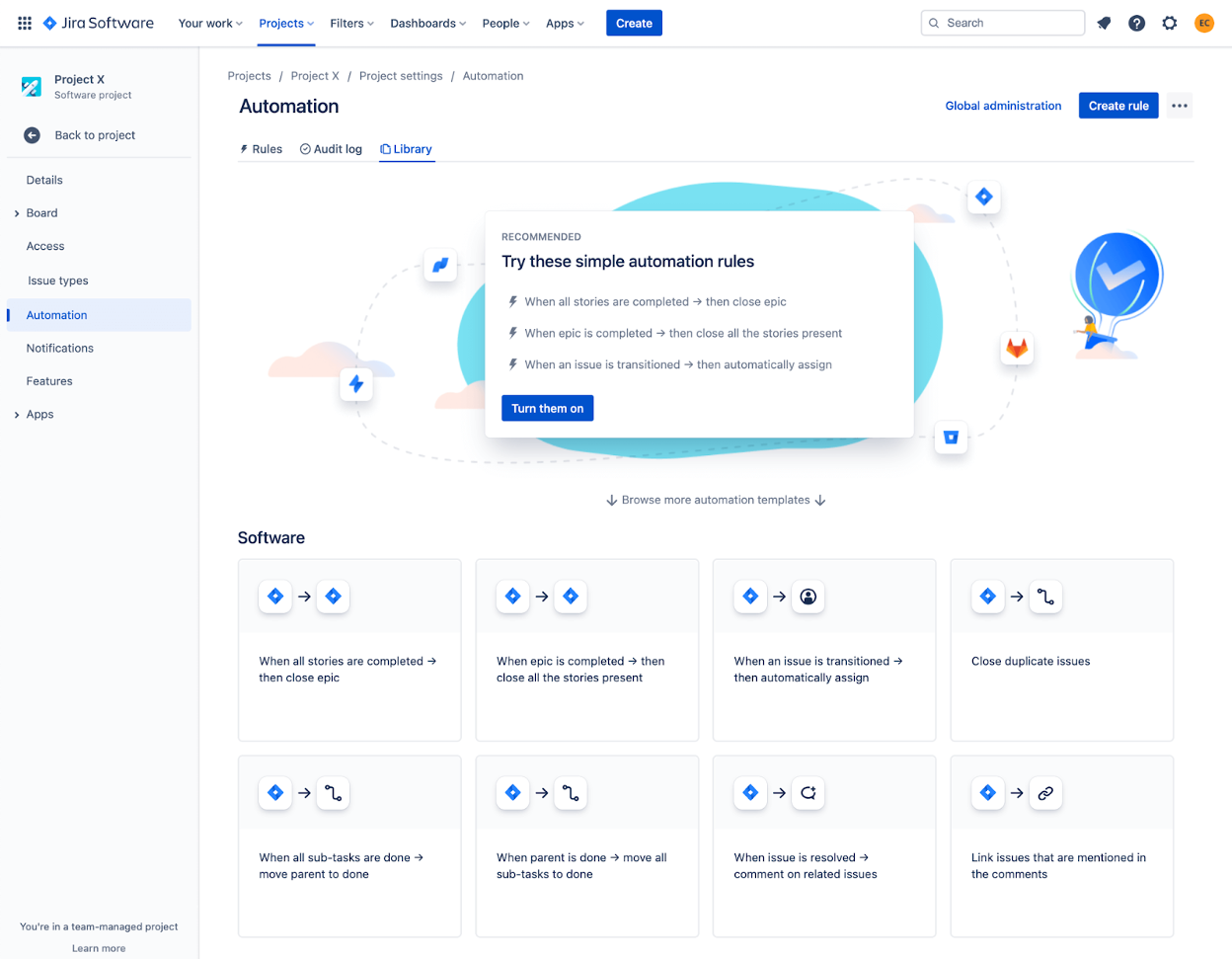
Common scenarios where automation earns its place:
Notifications and escalations — “Notify the project lead if a critical issue hasn’t been updated in 48 hours.” Automation handles this with a scheduled rule and a condition on last-updated date.
Field updates based on events — “When an issue is moved to UAT, set the sprint field to the active UAT sprint.” A single transition-triggered rule covers this.
Cross-project synchronisation — “When we close a bug in the support project, update the linked development issue.” Automation’s cross-project actions make this straightforward.
Approval routing — “Issues above a certain cost estimate need finance sign-off before moving forward.” A combination of automation and workflow conditions can implement a basic approval gate without external tools.
Jira Automation is powerful enough to handle a wide range of dynamic business logic. It has clear limits, though. It is not designed for complex data transformation, integration with systems that lack webhooks or REST APIs, or logic that requires persistent state across multiple rules. When requirements start sounding like software specifications rather than process rules, it is a sign you may need to go further.
Scripting With ScriptRunner: Filling the Gaps
ScriptRunner (by Adaptavist) is the most widely used scripting platform for Jira. It runs Groovy scripts directly inside Jira, giving admins access to the full Jira API. This is where you go when native configuration and automation hit their limits.
ScriptRunner is particularly useful for:
Advanced workflow post-functions — Complex logic that fires on transitions, such as creating sub-tasks with specific field values based on parent issue attributes.
Calculated or derived fields — Displaying values that are computed from other fields at runtime, rather than stored statically.
Bulk data operations — Migrating field values, restructuring project data, or applying changes across thousands of issues in a controlled way.
Custom JQL functions — Letting users search for issues using logic that standard JQL cannot express, such as “issues where the assignee is currently on leave.”
The trade-off with ScriptRunner is maintainability. Groovy scripts need to be tested, documented, and handed over carefully. When a Jira admin leaves, undocumented scripts can become a real operational risk. If you go down this route, treat scripts like code: version-control them, document the business requirement they solve, and build in a review process.
ScriptRunner is available for both Jira Cloud and Data Center, though the Cloud version has some capability differences due to platform restrictions.
Custom Development With Atlassian Forge
When requirements go beyond what configuration, automation, and scripting can handle, the next step is building a custom application using Atlassian Forge.

Forge is Atlassian’s cloud-native development platform. It lets developers build apps that run directly on Atlassian’s infrastructure, with access to Jira’s APIs and UI extension points. Unlike older approaches that required externally hosted apps, Forge apps run inside Atlassian’s environment, which simplifies security and deployment.
Forge becomes the right tool when:
Custom UI is needed — For example, a tailored dashboard panel that visualises project data in a way no existing app provides, or a bespoke input form that guides users through a complex process.
Deep system integration is required — Connecting Jira to an ERP, CRM, or internal tool in a way that requires persistent logic, data transformation, or two-way synchronisation.
Business rules are too complex for scripting — Logic that involves multiple systems, long-running processes, or stateful workflows that Jira’s native architecture was not designed to support.
You need a maintainable, deployable product — If a capability needs to be reliably deployed, versioned, and potentially shared across multiple Jira instances or clients, a Forge app gives you a proper development lifecycle.
Custom Forge development is a significant investment. It requires developer resource, testing, and ongoing maintenance. For most internal business process requirements, this is not the first option — but for organisations with genuinely complex needs or the desire to build a competitive internal tool, it is the right one.
This is also where working with an Atlassian Marketplace Partner can make a difference. Rather than building from scratch, it is worth checking whether an existing app already solves the problem. For requirements around issue cloning, project milestone tracking, or absence management, for instance, purpose-built apps exist that have already been through the development and testing cycle.
How to Choose the Right Approach
When a requirement lands in your queue, work through this decision flow:
Requirement type | Recommended approach |
|---|---|
Structure, access, visibility | Native Jira configuration |
Event-driven logic, notifications, cross-project updates | Jira Automation |
Complex logic within Jira, derived fields, bulk operations | ScriptRunner |
Custom UI, deep integrations, bespoke products | Atlassian Forge / custom development |
A few practical principles to keep in mind:
Start at the simplest layer. A requirement that looks like it needs scripting sometimes turns out to be a workflow validator. Push back up the stack before building down.
Consider the maintenance burden. The more custom the solution, the more it depends on specific people to maintain it. A workflow anyone can read in the admin UI is safer than a script only one person understands.
Document the requirement alongside the solution. When you configure a workflow or write a script, record why it exists. Six months later, nobody will remember what business requirement drove it.
Involve stakeholders in trade-offs. Sometimes a requirement can be met 80% by native configuration and 100% by a custom script. That is a business conversation about cost and complexity, not a purely technical one.
FAQ
What is the difference between Jira Automation and ScriptRunner?
Jira Automation is a no-code tool built into Jira that handles event-driven rules, notifications, and field updates. ScriptRunner is a paid app that lets you write Groovy scripts with direct access to Jira’s API, enabling more complex logic that automation rules cannot express. For most teams, Automation covers 80% of dynamic requirements; ScriptRunner fills the gaps.
When does it make sense to build a custom Forge app instead of using ScriptRunner?
ScriptRunner is the better fit when the logic lives entirely within Jira and a developer-level Jira admin can maintain it. Forge is more appropriate when you need a custom user interface, integration with external systems, or a deployable product that can be versioned and managed like a proper application.
Can Jira workflows handle approval processes?
Yes, to a degree. Workflow conditions can restrict who can trigger transitions, and post-functions can send notifications. For simple linear approvals — one person signs off before the issue progresses — native workflows work well. For more complex scenarios involving parallel approvals, dynamic approvers, or audit trails, you will likely need automation rules or a dedicated app.
How should a Jira admin document custom configurations?
At a minimum, document the business requirement each configuration solves, who requested it, and any dependencies (such as project-specific fields or external systems involved). For scripts, add inline comments and store them in version control. For workflows, use the transition and status description fields in Jira’s admin UI to explain the logic.
What should I do if no existing configuration option or app meets the requirement?
Start by getting a precise definition of the requirement — vague requirements often have simpler solutions than they appear. If native options and existing Marketplace apps genuinely fall short, ScriptRunner scripting or a custom Forge app are the next steps. For organisations without in-house Atlassian development resource, working with an Atlassian Marketplace Partner for scoping and custom development is often the most efficient route.
Conclusion
Every business requirement that lands in a Jira admin’s queue has an appropriate solution level. Most can be handled with native configuration and automation. Some need scripting. A smaller number genuinely warrant custom development.
The skill is not just knowing how to configure Jira — it is knowing which layer to use and when to stop adding complexity. Work from the simplest option outward, document what you build and why, and involve stakeholders in conversations about trade-offs.
If you are dealing with requirements that fall outside what standard configuration and automation can handle, ij-solutions offers consulting and custom Forge development to help organisations build exactly what they need — without over-engineering it.